The Procreate Watercolor Box: Digital Fluidity
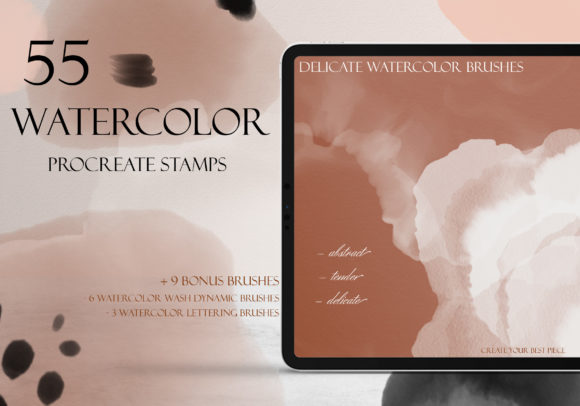
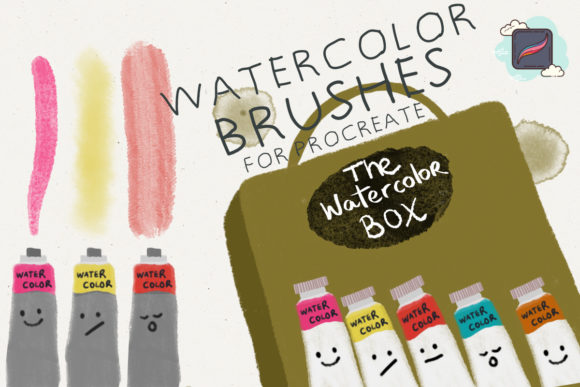
There is a specific kind of hesitation that often accompanies the blank digital canvas. Unlike paper, which offers immediate texture and resistance, a fresh layer in Procreate can feel sterile, waiting for a mark that feels human. This is where The Procreate Watercolor Box changes the workflow entirely. It is not merely a collection of brushes; it is a toolkit designed to replicate the unpredictable, organic behavior of traditional water-based media within a fully editable digital environment. For creators who miss the flow of pigment on cold-press paper but require the flexibility of layers and undo buttons, this set of nine specialized brushes offers a grounded solution.
The core value of this digital download lies in its ability to emulate genuine watercolor marks without the mess or permanence of physical paint. Each of the nine brushes has been engineered to react to pressure, tilt, and speed, mimicking how water spreads, pools, and dries on fiber. When you stroke the canvas, you aren't just dragging pixels; you are simulating capillary action. This distinction is vital for professionals who need their digital work to carry the warmth and imperfection of handcrafted art. Whether you are a graphic designer creating brand assets or an illustrator developing a children's book, the texture provided by these tools adds a layer of sophistication that flat vector graphics often lack.
Bridging Traditional Aesthetics with Digital Efficiency
One of the most compelling aspects of using The Procreate Watercolor Box is the hybrid workflow it enables. In a professional setting, time is often as valuable as creativity. Traditional watercolor requires drying time, careful planning to avoid irreversible mistakes, and a dedicated physical space. With this brush set, you retain the aesthetic appeal of wet-on-wet techniques and granulation while gaining the ability to isolate elements on separate layers.
Consider a marketer designing social media content for a lifestyle brand. They might need a background that feels soft and inviting, reminiscent of a hand-painted wash, but they also need to overlay crisp typography and logos. Using these brushes, they can create a textured, organic backdrop in minutes, adjust the opacity to ensure text readability, and export the final asset ready for Instagram or LinkedIn. The result looks artisanal, yet the process remains efficient and scalable. This balance allows freelancers and small business owners to produce high-quality, unique visuals without the overhead of a physical studio.
Versatile Applications Across Creative Disciplines
The utility of these nine brushes extends far beyond simple illustration. Because watercolor is inherently versatile—capable of both delicate glazes and bold, saturated strokes—it adapts well to various industries and project types. Here is how different creators can leverage this toolset:
- Wedding and Event Designers: Create custom invitations, save-the-dates, and menu cards with floral motifs that look hand-painted. The ability to tweak colors digitally ensures the palette matches the event's theme perfectly.
- Educators and Course Creators: Develop engaging presentation slides or worksheet headers that feel approachable and less corporate. Soft watercolor textures can make educational content feel more welcoming to students.
- Fashion and Textile Designers: Sketch initial concepts for fabric prints. The fluid nature of these brushes helps visualize how dyes might bleed or blend on actual cloth, providing a realistic preview before production.
- Bloggers and Content Writers: Generate unique featured images and dividers that break up text visually. Unlike stock photography, these custom elements reinforce personal branding and copyright ownership.
- Architects and Interior Designers: Produce quick conceptual renderings that convey mood and atmosphere rather than just rigid lines. A watercolor wash can suggest lighting and material warmth effectively.
Mastering the Nine Brush Variations
To get the most out of The Procreate Watercolor Box, it is essential to understand that each of the nine included brushes serves a specific function in the painting process. Treating them as a cohesive system rather than random options will yield more consistent and professional results.
Some brushes in the set are optimized for base washes. These are ideal for laying down large areas of color with soft edges, perfect for skies or background gradients. They are programmed to leave subtle texture variations, preventing the "airbrushed" look that can sometimes plague digital art. Other brushes are designed for detail work, offering sharper edges and higher pigment density. These allow for defining shapes, adding fine lines, or creating depth through layering. There are also likely brushes tailored for textural effects, such as dry brush strokes or splatter, which add realism and break up uniformity.
A practical approach to using this set involves building up your image in stages, much like traditional painting. Start with the lighter wash brushes to establish composition and value. Once dry (digitally speaking), move to the more saturated brushes to build form. Finally, use the textural variants to add interest and grit. This layered approach ensures clarity and prevents the image from becoming muddy, a common issue when digital brushes are overused without intention.
Maintaining Consistency and Originality
While presets and brushes provide a fantastic starting point, the goal is to create work that feels original to your voice. Relying too heavily on default settings can lead to a generic look where many artists' work begins to resemble one another. To avoid this, experiment with the blend modes and opacity settings within Procreate. Combining a watercolor brush with a "Multiply" or "Overlay" layer mode can create rich, complex interactions between colors that mimic real pigment mixing.
Furthermore, consider the context of your audience. If you are designing for a tech startup, you might use the watercolor textures sparingly, perhaps only for accent elements, to maintain a clean, modern feel. Conversely, if you are illustrating a fantasy novel cover, you can lean heavily into the wet-on-wet capabilities to create dreamy, ethereal atmospheres. The key is adaptation. The Procreate Watercolor Box provides the medium, but your creative direction dictates the message.
Installation is straightforward, ensuring you can start creating almost immediately. As a digital download, the file is accessible instantly. Once imported into Procreate, the brushes appear in your library, ready to use on any canvas size or resolution. This portability means you can switch from an iPad at a coffee shop to a desktop workflow without losing fidelity or style.
Ultimately, the power of this toolset lies in its ability to humanize digital design. In an era where AI-generated images and perfect vectors are ubiquitous, there is a growing appreciation for work that shows the hand of the creator. The slight irregularities, the pooling of color, and the textured grain provided by these brushes signal authenticity. For the entrepreneur, the educator, or the hobbyist, The Procreate Watercolor Box is not just about making pretty pictures; it is about communicating ideas with warmth, clarity, and a distinctively personal touch. By integrating these tools into your regular workflow, you bridge the gap between the tactile joy of traditional art and the limitless possibilities of the digital age.